
Overview
You will learn
- How to generate JSON web token


Prerequisites
- You’ve copied the
clientId,clientSecret, andurlvalues from the service key of Document Management Service, Integration Option. For more information, see the tutorial Create a Service Instance and then a Service Key of SAP Document Management Service, Integration Option. - You need Postman REST client. See Install Postman REST Client.
Steps
You will learn
- How to generate JSON web token
You will need the following values from your service key in order to get your JSON web access token.
Navigate to the service that you created in the previous tutorial Create a Service Instance and then a Service Key of SAP Document Management Service, Integration Option. !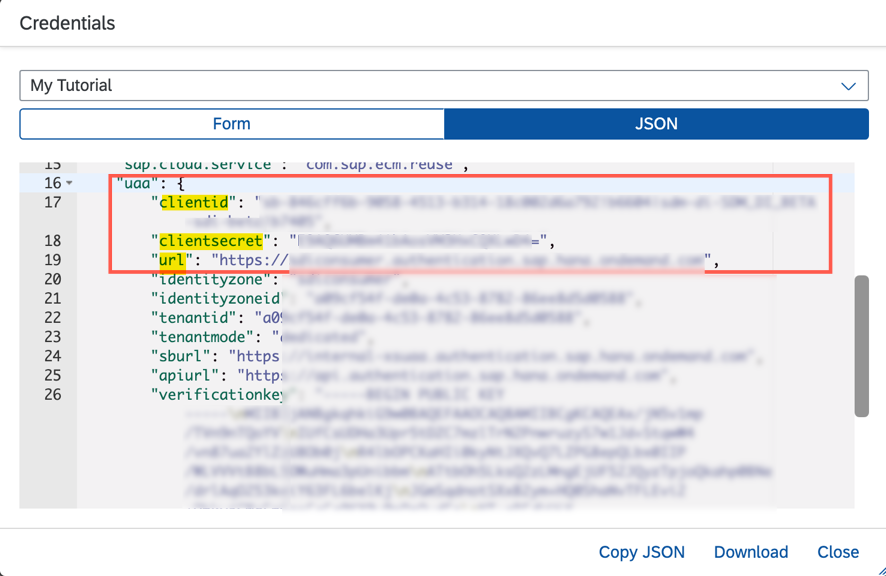
Open the Postman client. Click on New and then select HTTP Request to open a new tab on Postman to work on.
!
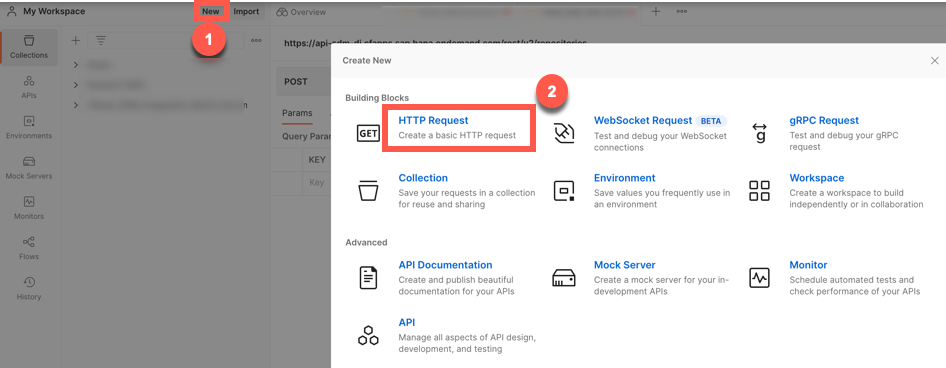
Postman Select the POST method and enter the following details:
Copy the
urlfrom your service key and append thisCode/oauth/token?grant_type=client_credentials&authorities=<AUTHORITIES>Verify that your request URL looks like the following:
JSON"url">/oauth/token?grant_type=client_credentials&authorities={"az_attr":{"X-EcmUserEnc":"abc@xyz.com","X-EcmAddPrincipals":"abc"For AUTHORITIES, encode the following values:
JSON"az_attr":{"X-EcmUserEnc":"<Your BTP user Email ID>","X-EcmAddPrincipals":"<Your first name>"!
For encoding, you need to select all the values in the authorities field, right click and select the option EncodeURIComponent.
!
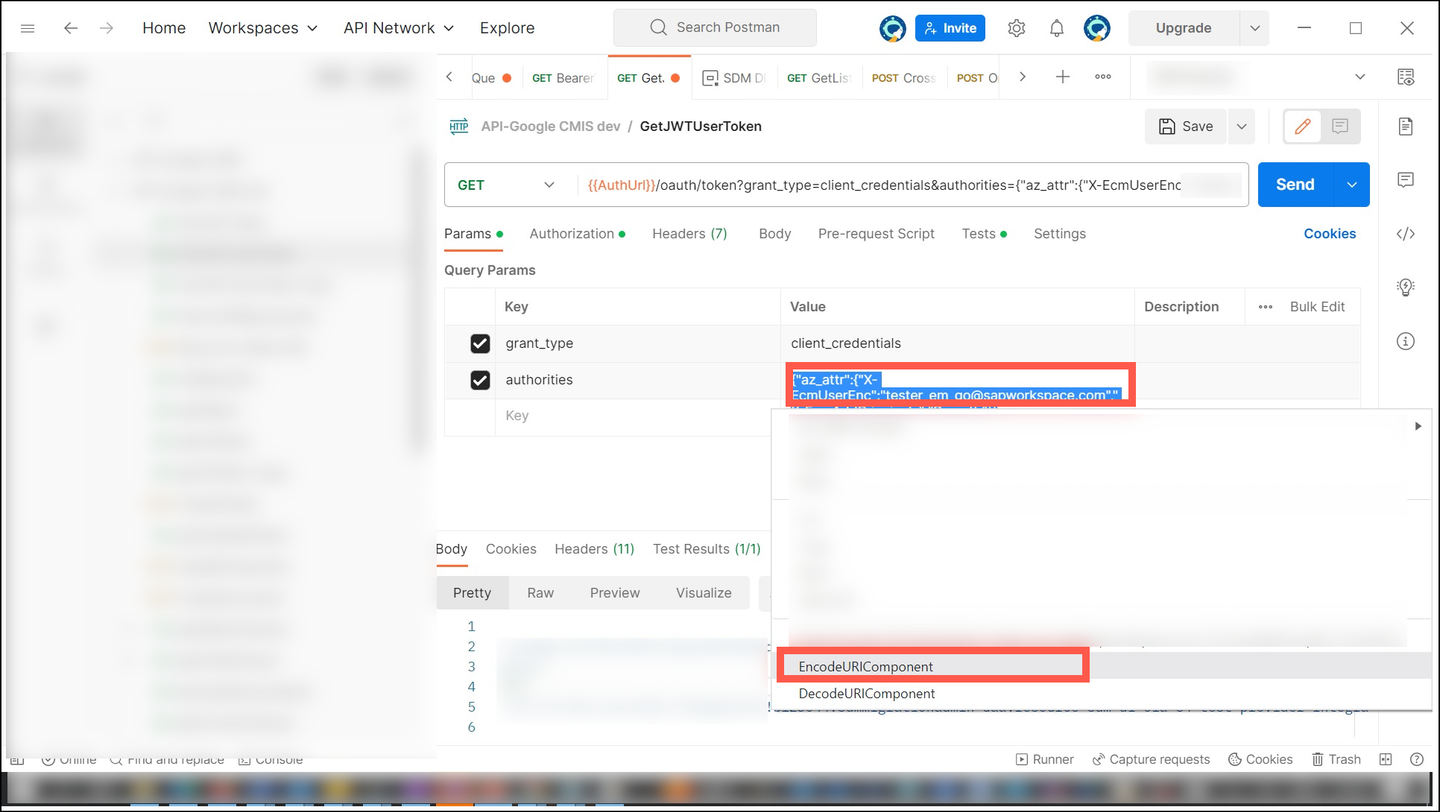
Encoding_Authorities
Navigate to Authorization tab and enter the following:
Field Name Value Type Basic AuthUsername clientIdPassword clientSecretClick Send.
!
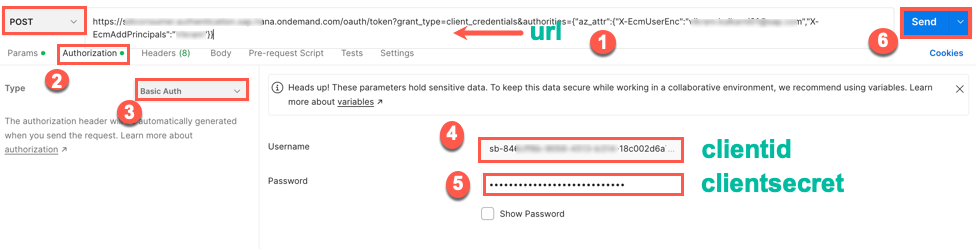
AuthorizationDetails When a successful response is received, the status is
200 OK. Copy theaccess_tokenand save it in a secure area.!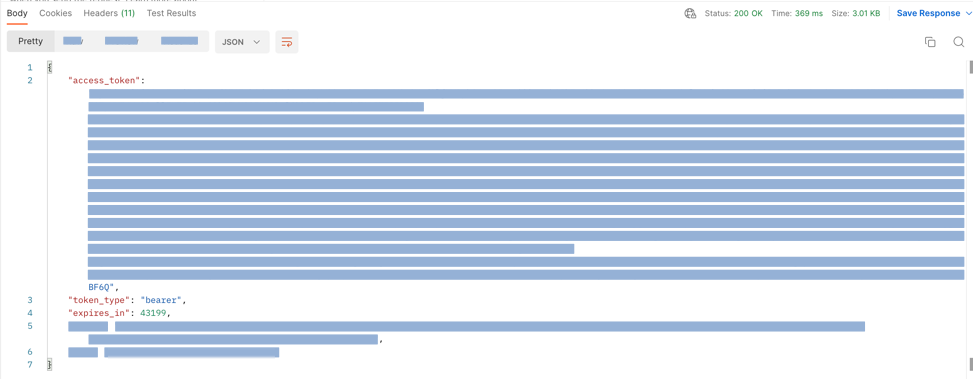
Resources
Discussion
Share feedback on this tutorial or join the conversation in SAP Community.