
Overview
You will learn
- How to access Instances and Subscriptions
- How to access and verify your subscriptions
- How to update service plans for your BTP Services
- How to access SAP Mobile Services in your BTP account
- How to update service plan from SAP Mobile Services


Prerequisites
- You have an SAP BTP trial account. For more information, see Get an Account on SAP BTP Trial
- You have access to SAP Mobile Services. For more information, see Access SAP Mobile Services
- You have added an SAP Build Code service plan to your subaccount
- You have added a build-code service plan for your service
- You have subscribed to SAP Mobile Services. For more information, see Access SAP Mobile Services
Steps
Step 1
Access your subaccount
Click on the tile of your Cloud Foundry subaccount.

Step 2
Update License
- Navigate to Services > Instances and Subscriptions > Instances
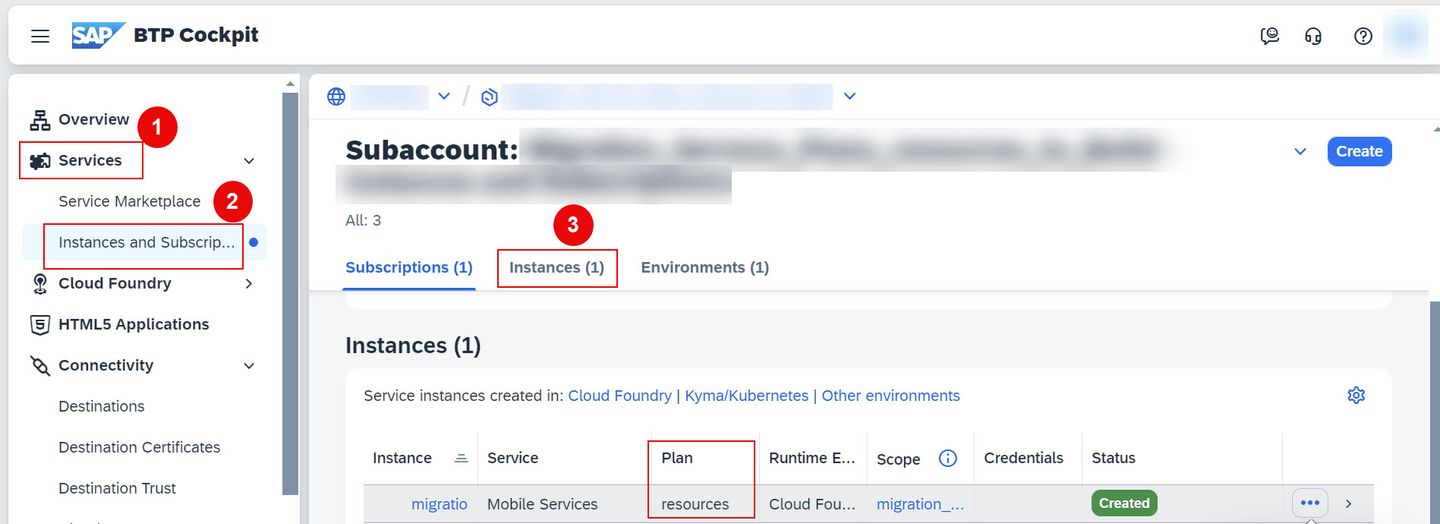
If you notice in above screenshot, we took example of SAP Mobile Services, here current plan is resources.
- Choose Mobile Services row > choose ellipsis at the end of the instances row, and from the menu, click Update.

- On the Update Instance wizard, select the build-code plan, and click Update Instance.

Now, plan is successfully updated to build-code.
For more information, see Changing Service Plans
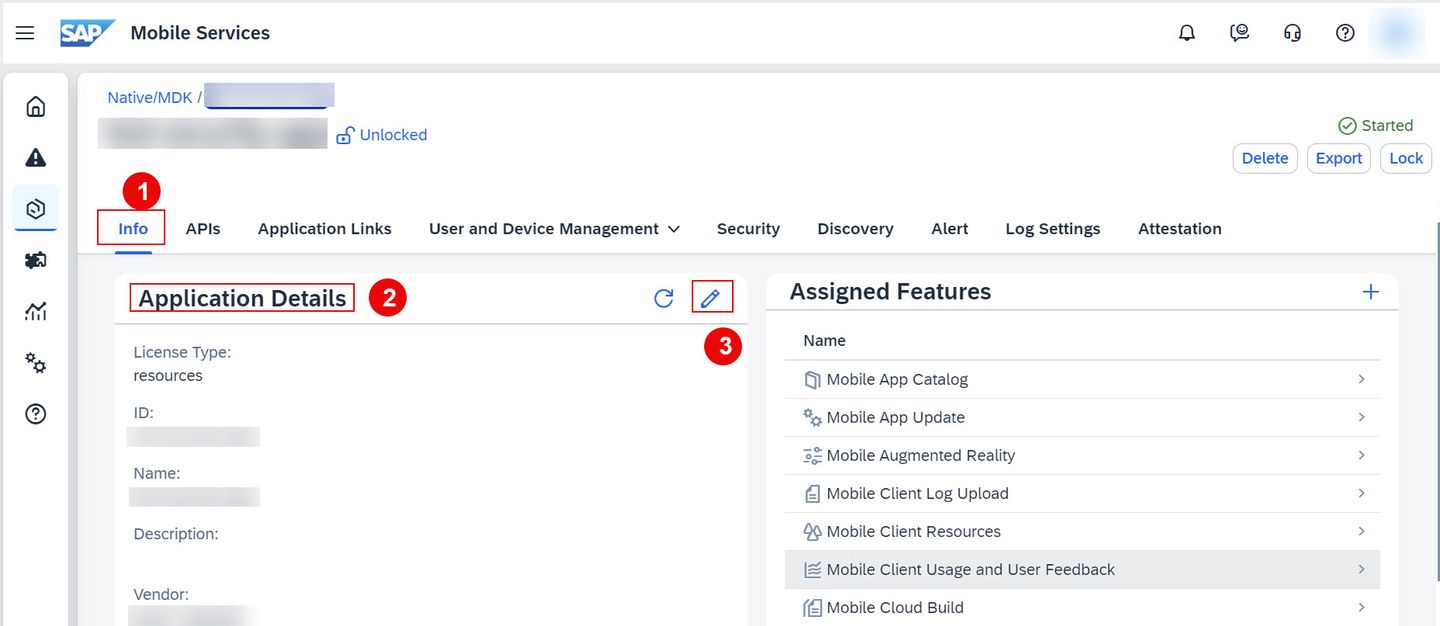
- In Mobile Services cockpit, select Mobile Applications > Native/MDK

- Select an application, navigate to Info tab > Application Details section, click Edit to make modifications.
You cannot edit the application when it is locked.
- In Edit Application Details wizard > locate the License Type field > select the target license i.e. build-code from the License Type dropdown list.
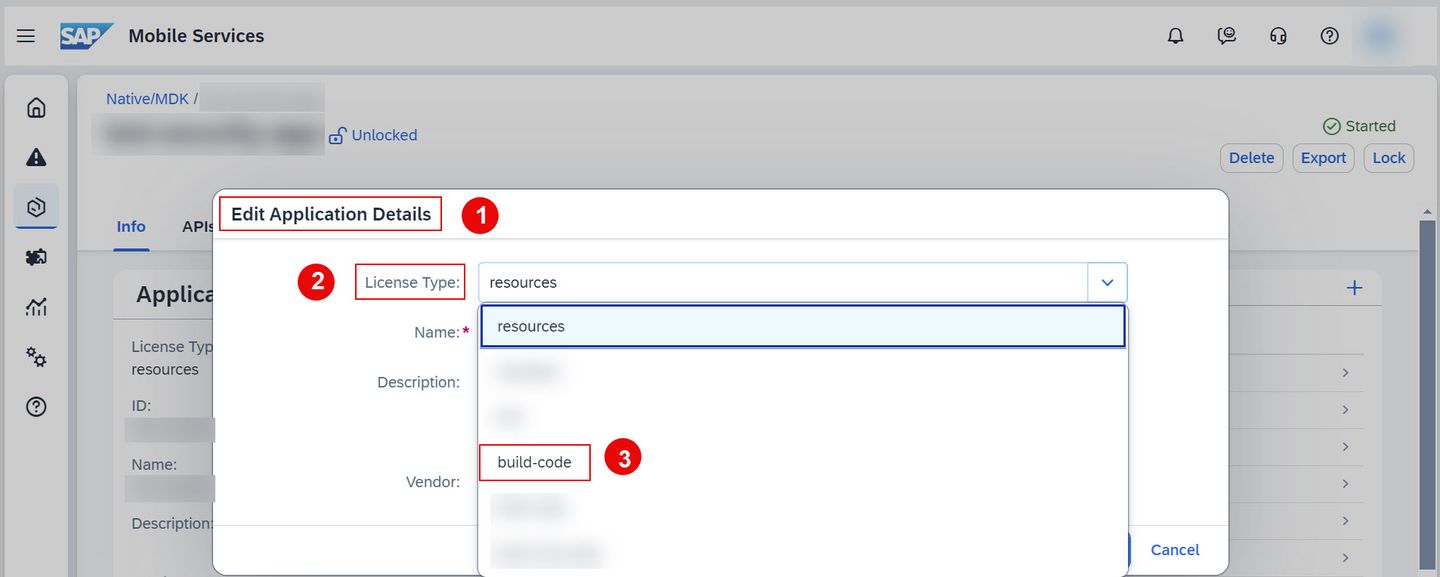
- Choose Save.
Now, plan is successfully updated to build-code.
For more information, see Changing Service Plans at the App Level
Step 3
Supported Service Plan Upgrades
| Service | Current Plan | Target Plan |
|---|---|---|
| SAP Mobile Services | free | build-code |
| SAP Mobile Services | resources | build-code |
| SAP Mobile Services (Changing the service plan to a deprecated plan is not recommended.) | standard (deprecated plan) | build-code |
| SAP Mobile Services | b2c (deprecated plan) | build-code |
| SAP Mobile Services | build-code | standard (deprecated plan) |
| SAP Mobile Services | build-code | resources |
For more information, see Changing Service Plans
Step 4
Test yourself
Resources
Discussion
Share feedback on this tutorial or join the conversation in SAP Community.