
Overview
You will learn
- How to access SAP BTP trial account
- How to add SAP Build Code standard (Application) plan to your subaccount
- How to add service plans to your subaccount


Prerequisites
- You have an SAP BTP trial account. For more information, see Get an Account on SAP BTP Trial
- You have purchased SAP Build Code
Steps
Intro
SAP Build Code offers an AI-powered cloud development environment specifically tailored for SAP Cloud Application Programming Model (CAP), SAP Fiori, mobile, and SAPUI5 developers.
By seamlessly integrating coding, testing, and application management, it streamlines the application development process on SAP BTP. SAP Build Code combines SAP Business Application Studio with the most essential services and SDKs on SAP BTP.
If you’re looking to enhance your current service plan by transitioning to the build-code service plan, you’re making a great choice to leverage pro-code capabilities for the accelerated development of your business applications. This upgrade will provide you with advanced tools and resources that can significantly streamline your development process.
To successfully complete this upgrade, follow the steps outlined in this mission. By doing so, you can unlock new features that will improve efficiency and transform the way you create and deploy applications for your business.
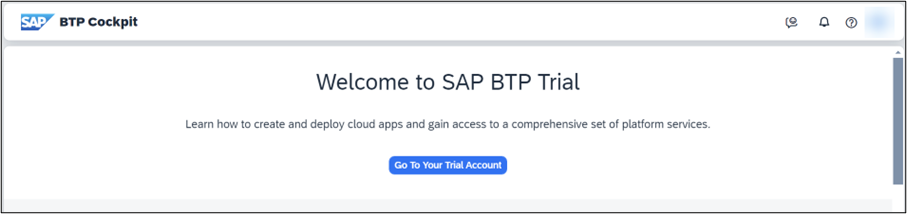
On the welcome screen of the SAP BTP Cockpit. Click on Go To Your Trial Account to navigate to your global account.
Click the tile of your Cloud Foundry subaccount to proceed.

Navigate to Entitlements, choose Edit.
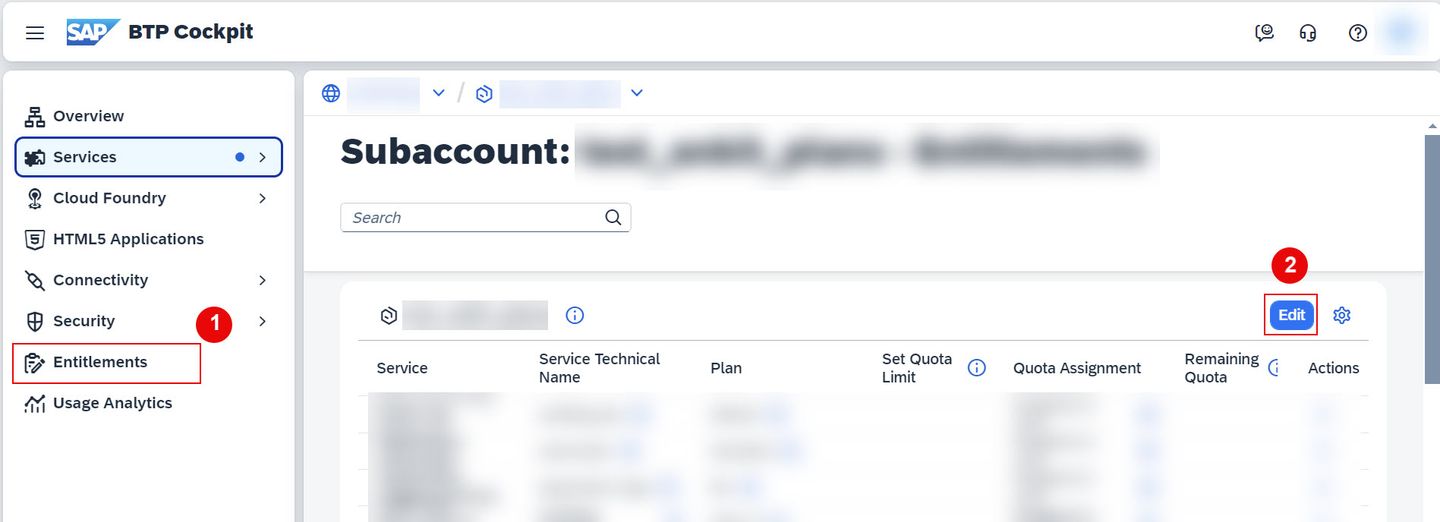
Edit Service plan Choose Add service Plans.
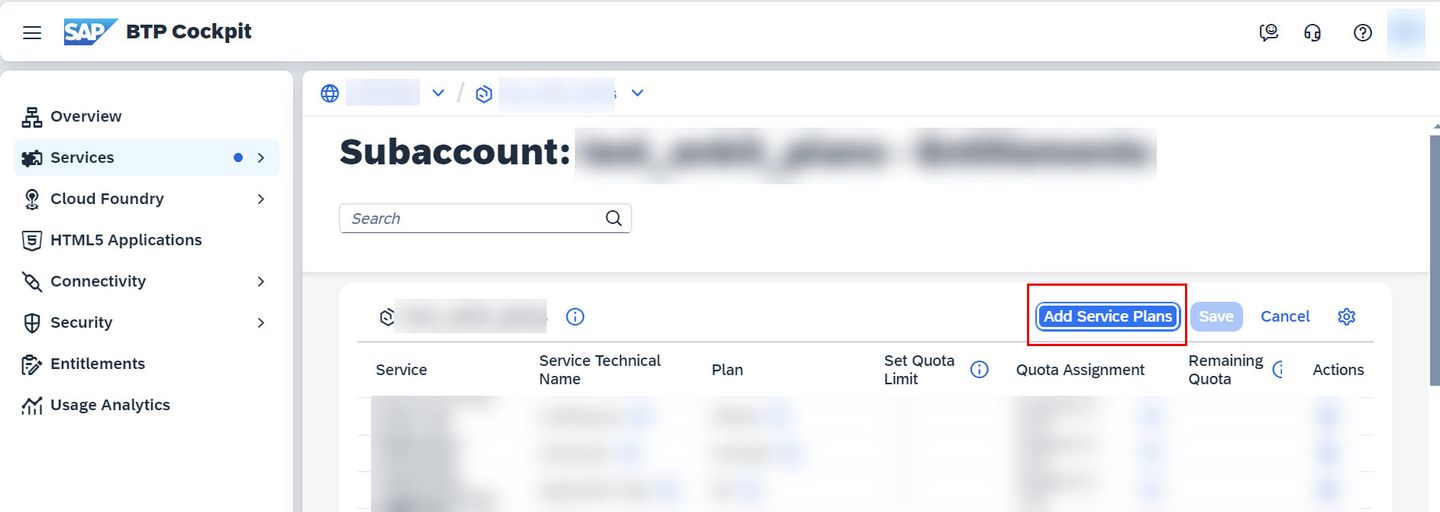
Add Service Plan On the new pop-up window, under Services search for
build codeorSAP Build Code: Select SAP Build Code > under Available Plans, select standard (Application) plan > choose Add 1 Service Plan.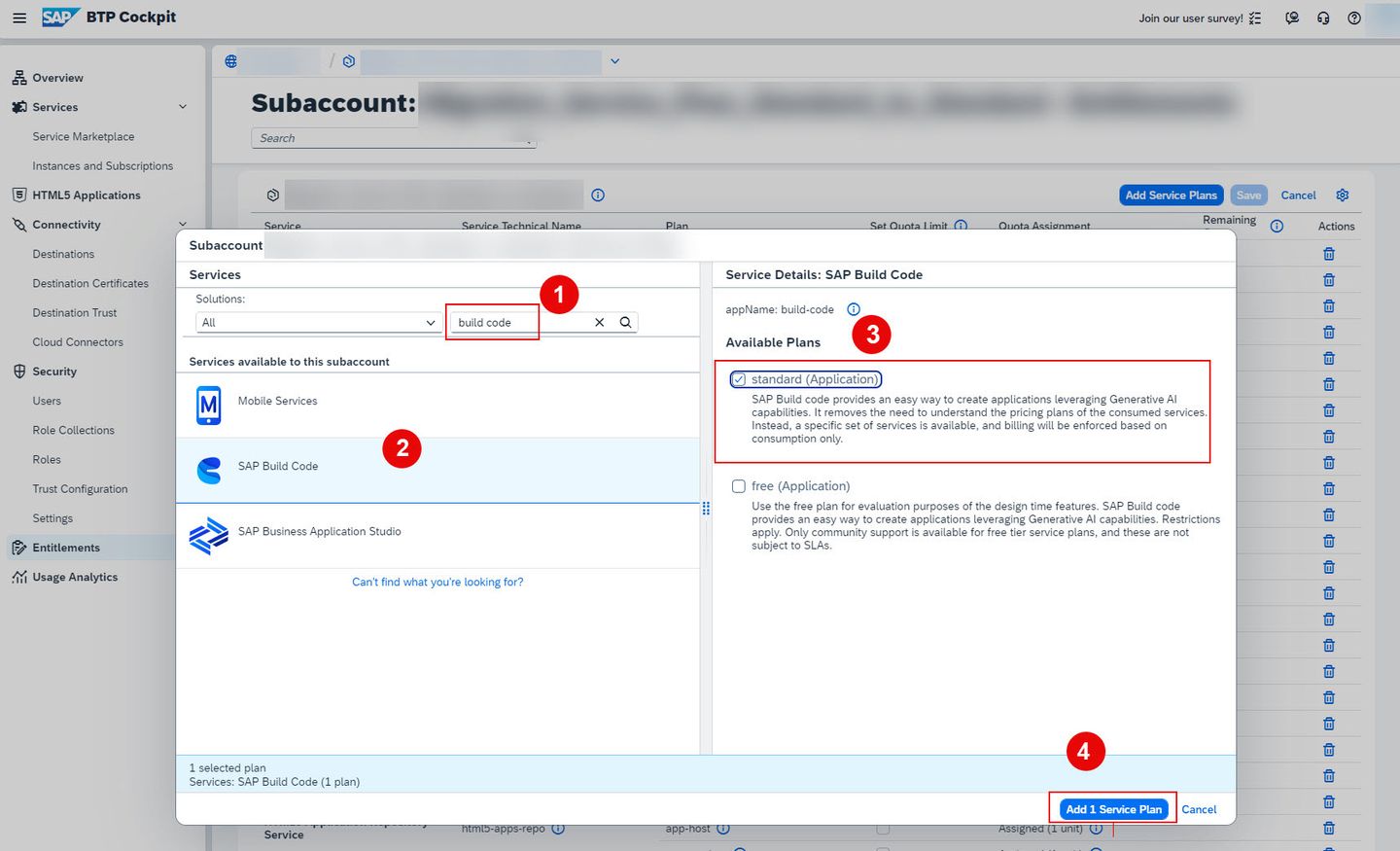
Adding SAP Build Code Standard plan Choose Save.
Resources
Discussion
Share feedback on this tutorial or join the conversation in SAP Community.