
Overview
You will learn
- How to create an SAPUI5 project
- How to build a project for Cloud Foundry
- How to deploy a project to Cloud Foundry


Steps
Start a dev space of kind SAP Fiori and open it by clicking its name.

Have a look at this tutorial if you are unsure how to get here or how to create a dev space.
Make sure you are connected to a Cloud Foundry endpoint to which you will deploy the SAPUI5 application later.
Enter the Cloud Foundry endpoint you want to use. If your environment runs in the EU10-region, this is
https://api.cf.eu10.hana.ondemand.com. To do so, use theCF: Login to Cloud Foundrycommand. From the menu, select View and then Find Command. TypeCF: Loginand then selectCF: Login to Cloud Foundry. Select your endpoint or enter the value for your region and then enter your email and password to proceed.
selectEndpoint Next, you need to select the Cloud Foundry Organization and space you want use. You will see that you are connected to the endpoint once these prompts have been answered.
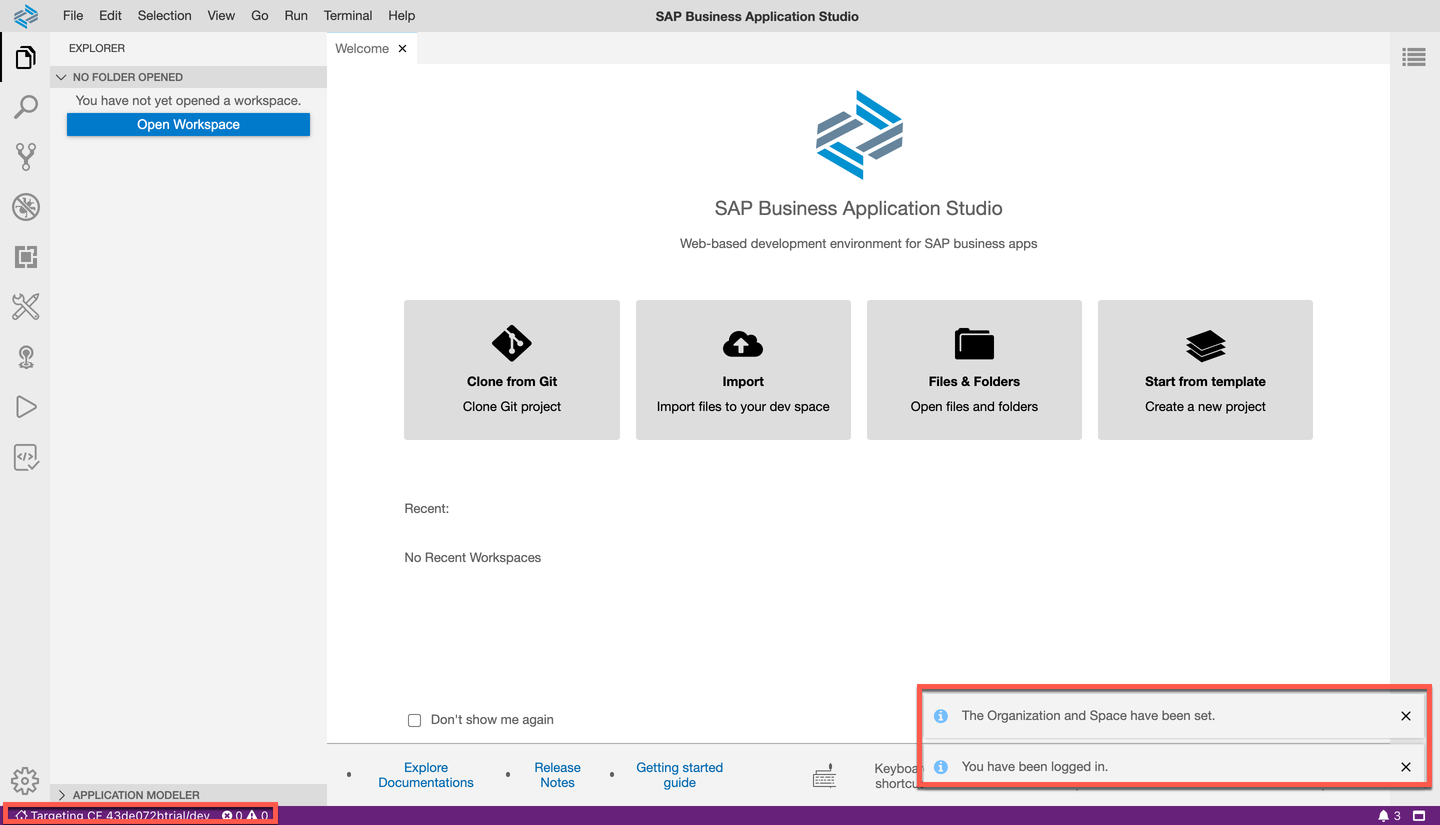
connectedEndpoint
This step will guide you through the needed actions to create a project that contains a single SAPUI5 application. In case you want to create a project that contains multiple UI modules, please do not follow these instructions and rather create an empty MTA project to which you then add multiple UI modules.
Click on the link Start from template on the Welcome screen.

newproject Select SAP Fiori freestyle SAPUI5 application as the template category you want to use and click Start.

fioriTemplate Specify the application type SAPUI5 freestyle and the floor plan SAPUI5 Application and go to the Next screen.

sapui5Template Now you have the option to connect your SAPUI5 application to a data source. As we won’t need a data source in this tutorial, select None and click Next.

nodata Keep the default view name and click Next .

viewname Name of the module
sapui5, use the application titleTutorial, define the namespacesap.btp, and Add deployment configuration. Keep the default values for the other parameters and select Next to go to the next step.

Choose Cloud Foundry as the target runtime and select None for the destination and make sure that Add application to managed application router is selected. Then, press Finish to create the new project.

finishProject Once you see the success message, click File | Open Workspace… to open a new dialog.

openws In there, select the generated folder sapui5 and hit open to see the new project.

openws
Build (aka package) the project to a mtar archive to deploy it to Cloud Foundry.
Right-click on the
mta.yamlfile and select Build MTA to trigger this process.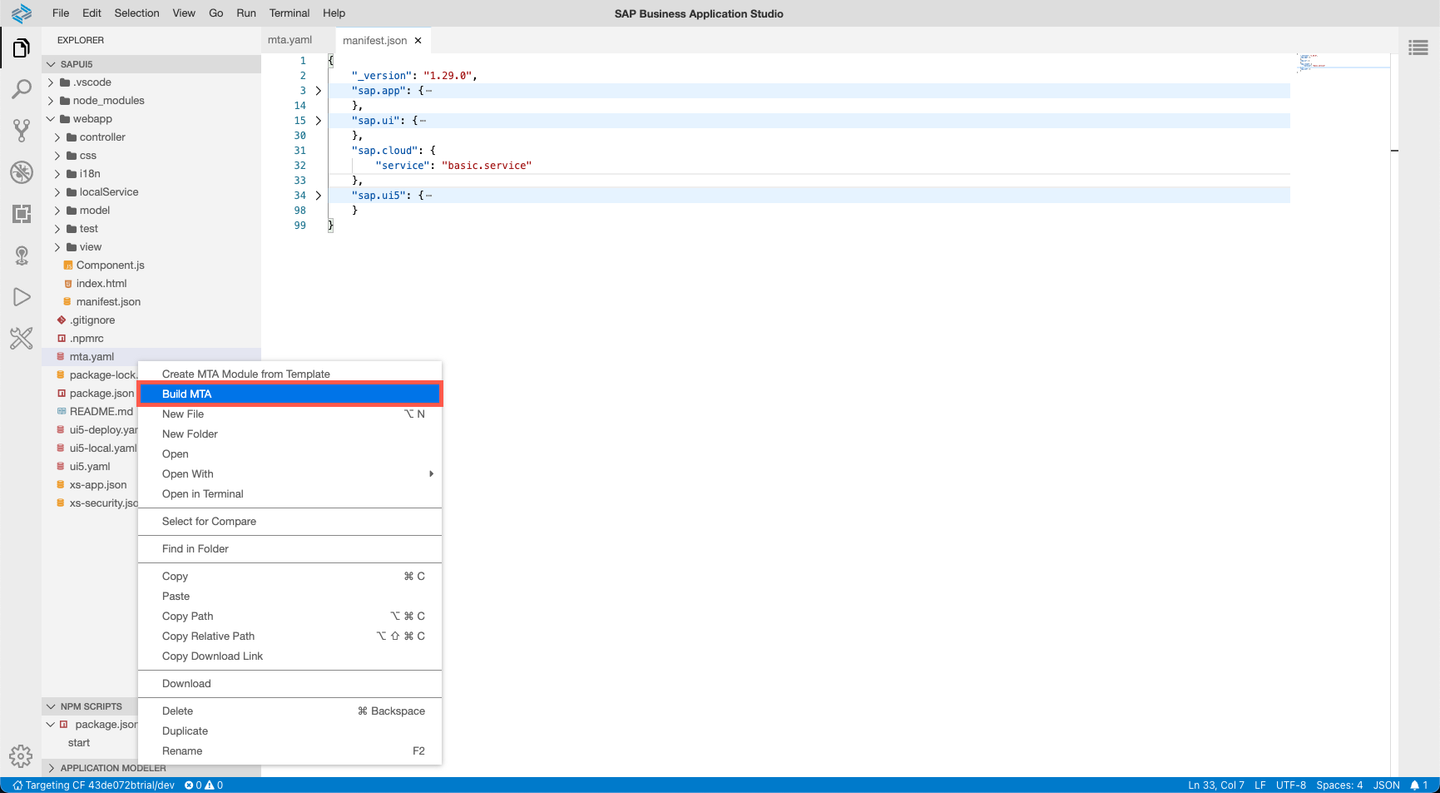
build Once the build is complete, you can see a message in the log. You can now find the generated
mtararchive in the project tree undermta_archives.
state
Now that you created a mtar archive, you are all set to deploy the application.
Right-click on the
mtarfile and select Deploy and Deploy MTA Archive.
deploy Check the console output to make sure the process started.
You will see a success message and the URL of the app in the log once the deployment finished.

success You can see the URL of the deployed app when running
cf html5-list -di sap-btp-sapui5-dest-srv -u --runtime launchpadin a new terminal session.

Use the following command in case you use the Portal service
cf html5-list -di sap-btp-sapui5-destination-service -u --runtime cpp
- Open the application in your browser. You might need to log in with your SAP ID (the same credentials you use for the SAP BTP Cockpit).
There is temporarily a need to update the given URL to view the application. When pasting the URL into your browser, remove
cppfrom your URL and replace it withlaunchpad.
- See that the sample application consists of a header and an empty page. So you should see something like this:

Enter the URL of your running application:
Resources
Discussion
Share feedback on this tutorial or join the conversation in SAP Community.